GPT Image 2.5 Generator

Generate and edit images with GPT Image 2.5 Flare and Sunburst. Preserve people and products from reference images, make precise changes without rebuilding the whole scene, create transparent assets, and produce high-resolution results up to 4K.

  • Flare and Sunburst
  • Precise image editing
  • Reference image fidelity
  • 4K and transparent output

Click to upload an image

PNG, JPG, JPEG, or WEBP (max 10MB)

0 / 5000
4 credits

Experience the power of AI image generation

GPT Image 2.5 examples

See What GPT Image 2.5 Can Create and Edit

Explore GPT Image 2.5 across precise edits, reference-driven variations, product visuals, typography, transparent assets, structured layouts, and natural lighting.

GPT Image 2.5 precision product recolor example
01

Precision Product Recolor

Prompt direction

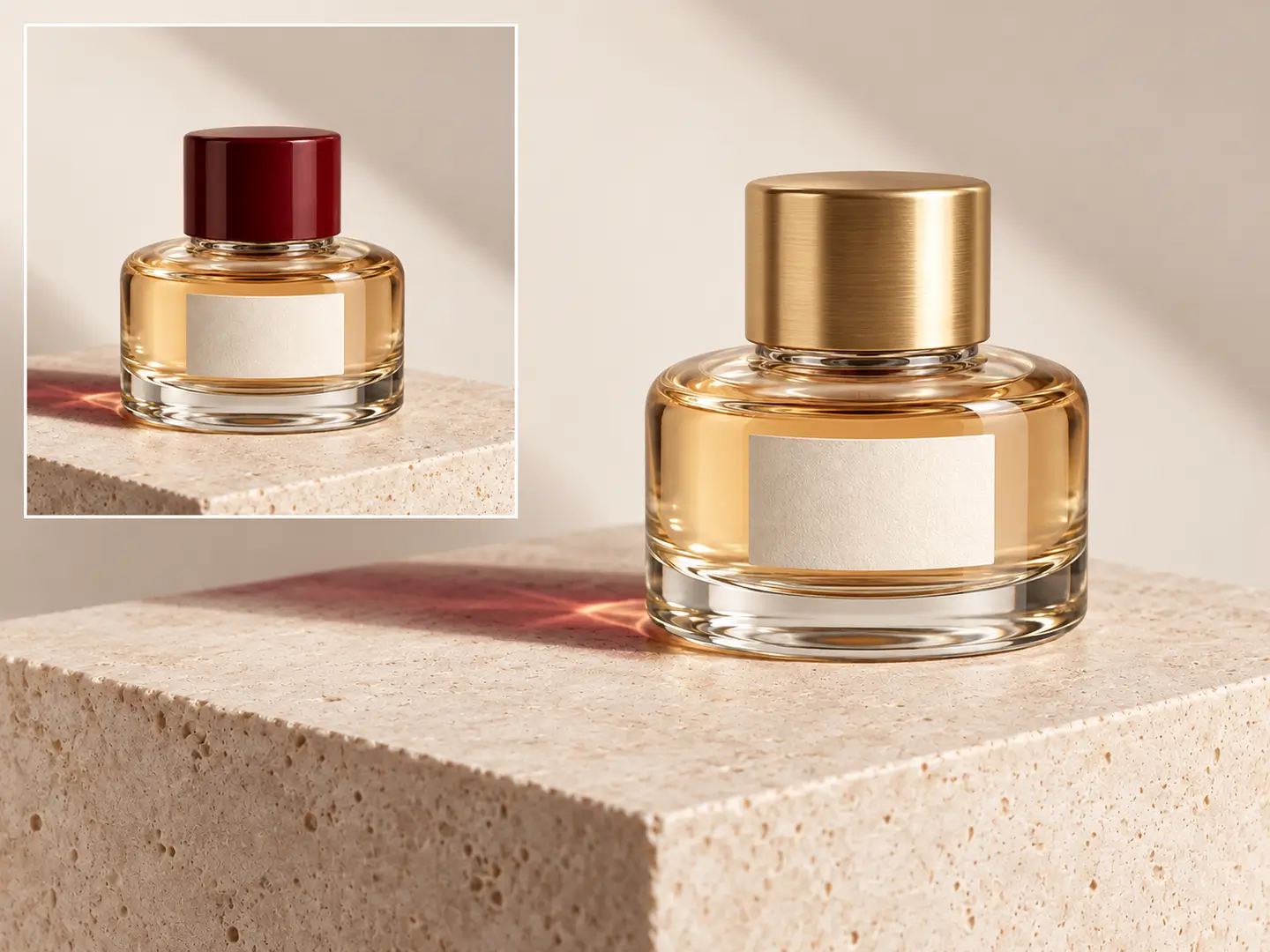
Keep the bottle shape, label placement, reflections, camera angle, and background unchanged. Change only the cap from red to brushed gold.

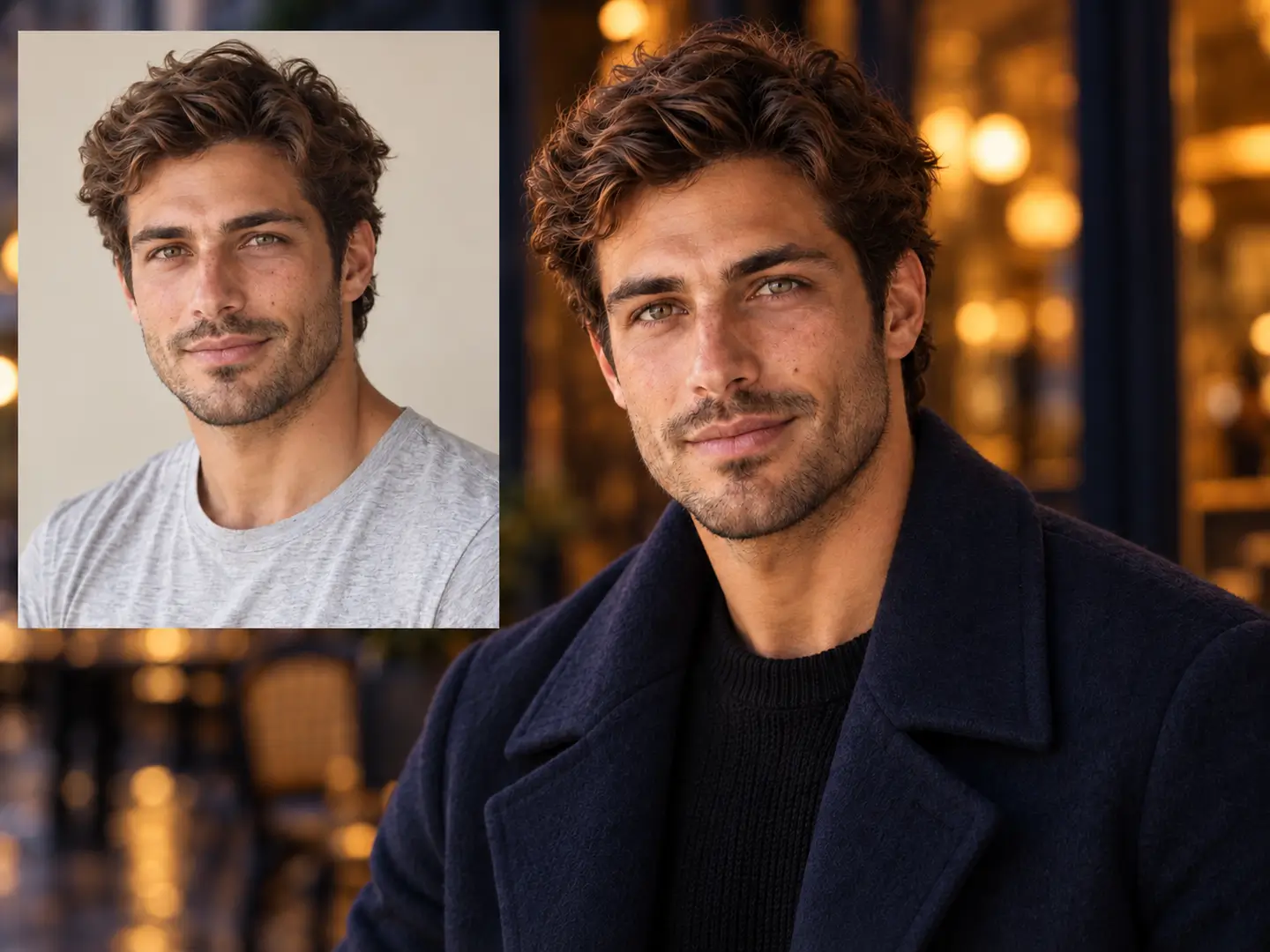
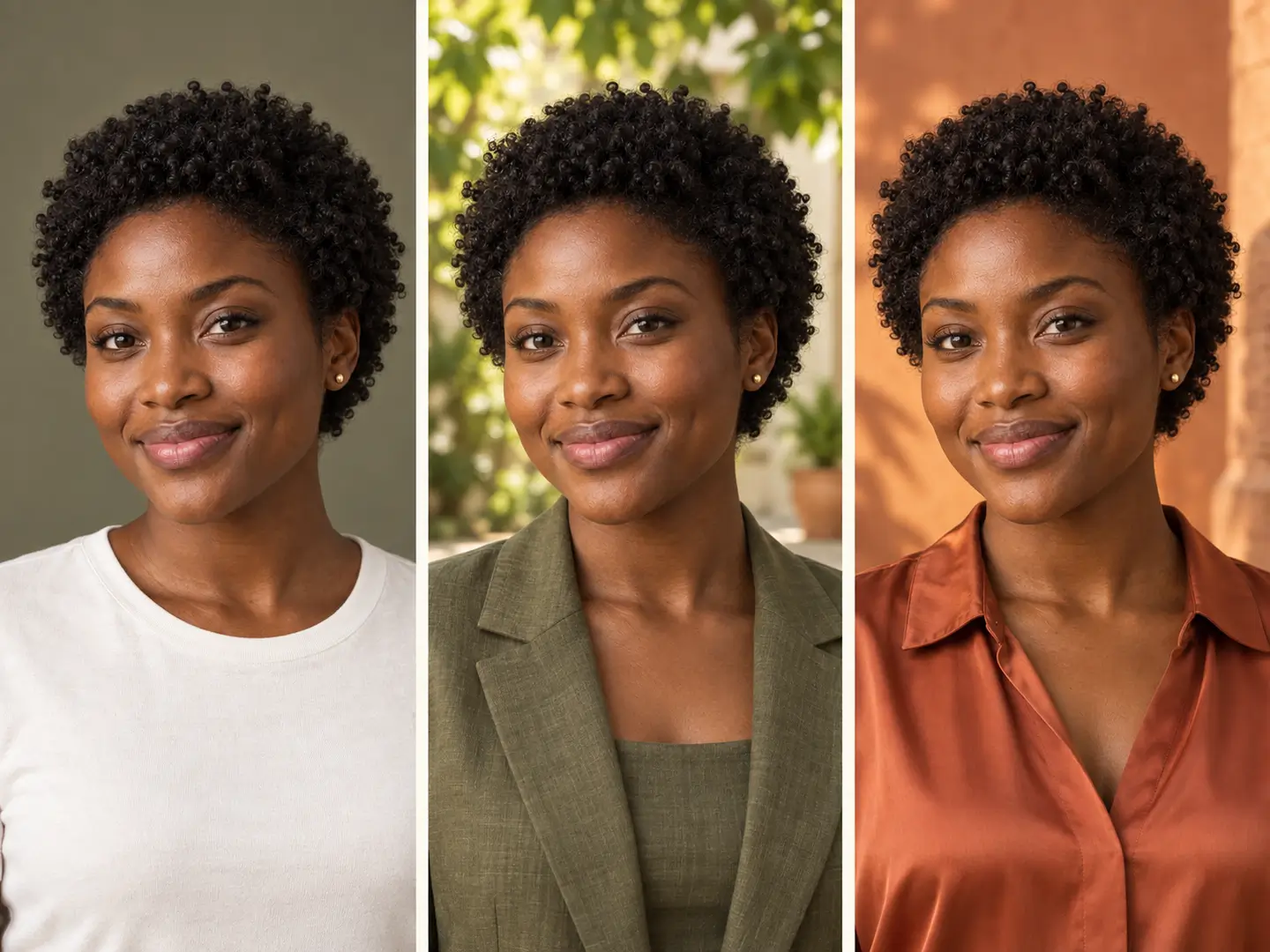
GPT Image 2.5 reference portrait restyle example
02

Reference Portrait Restyle

Prompt direction

Preserve the person's recognizable facial features, pose, hairstyle, and framing while changing the wardrobe and environment to a cinematic evening editorial scene.

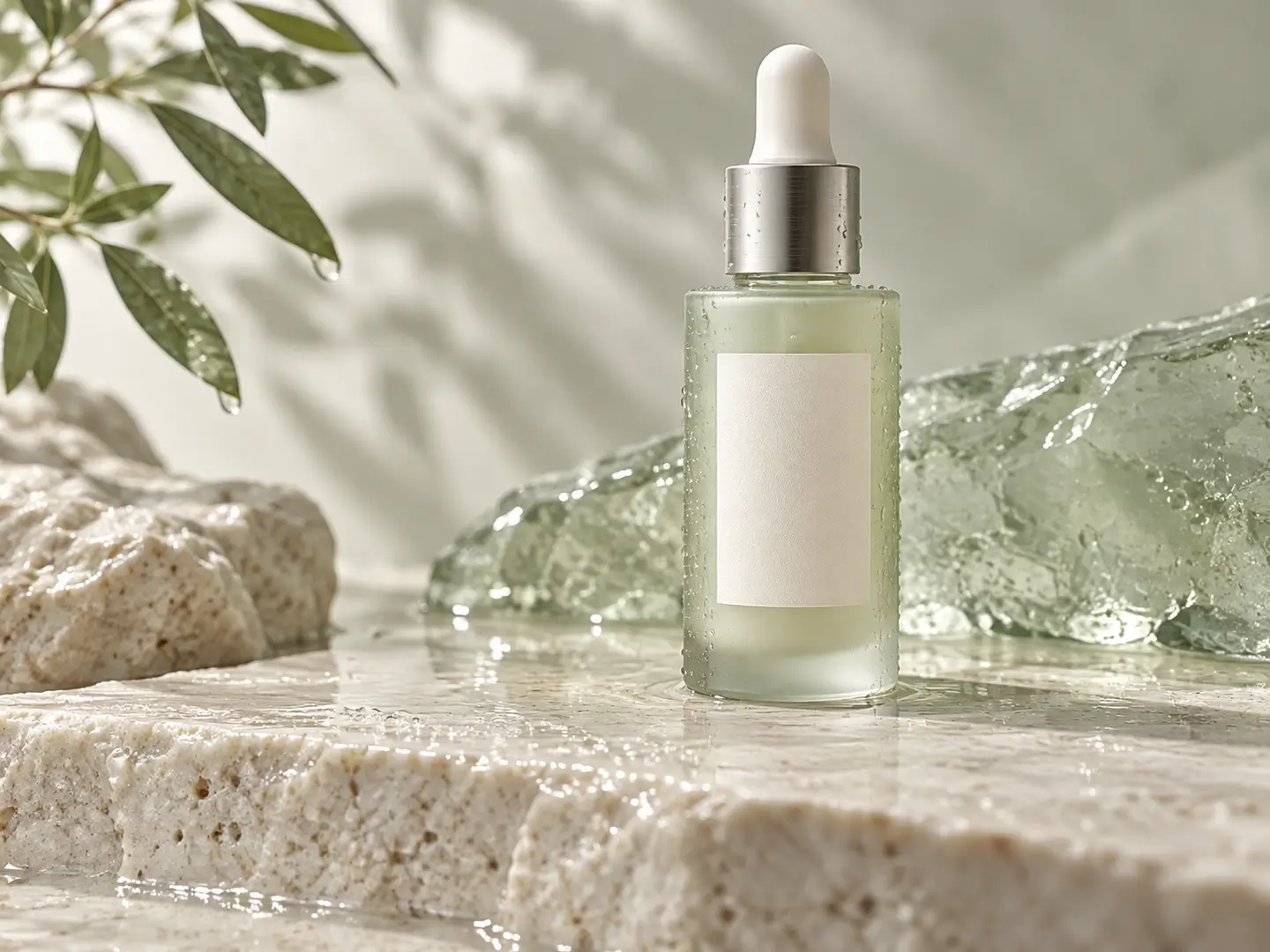
GPT Image 2.5 premium product campaign example
03

Premium Product Campaign

Prompt direction

Create a luxury skincare campaign image with realistic glass, soft directional light, subtle condensation, clear typography space, and a clean editorial composition.

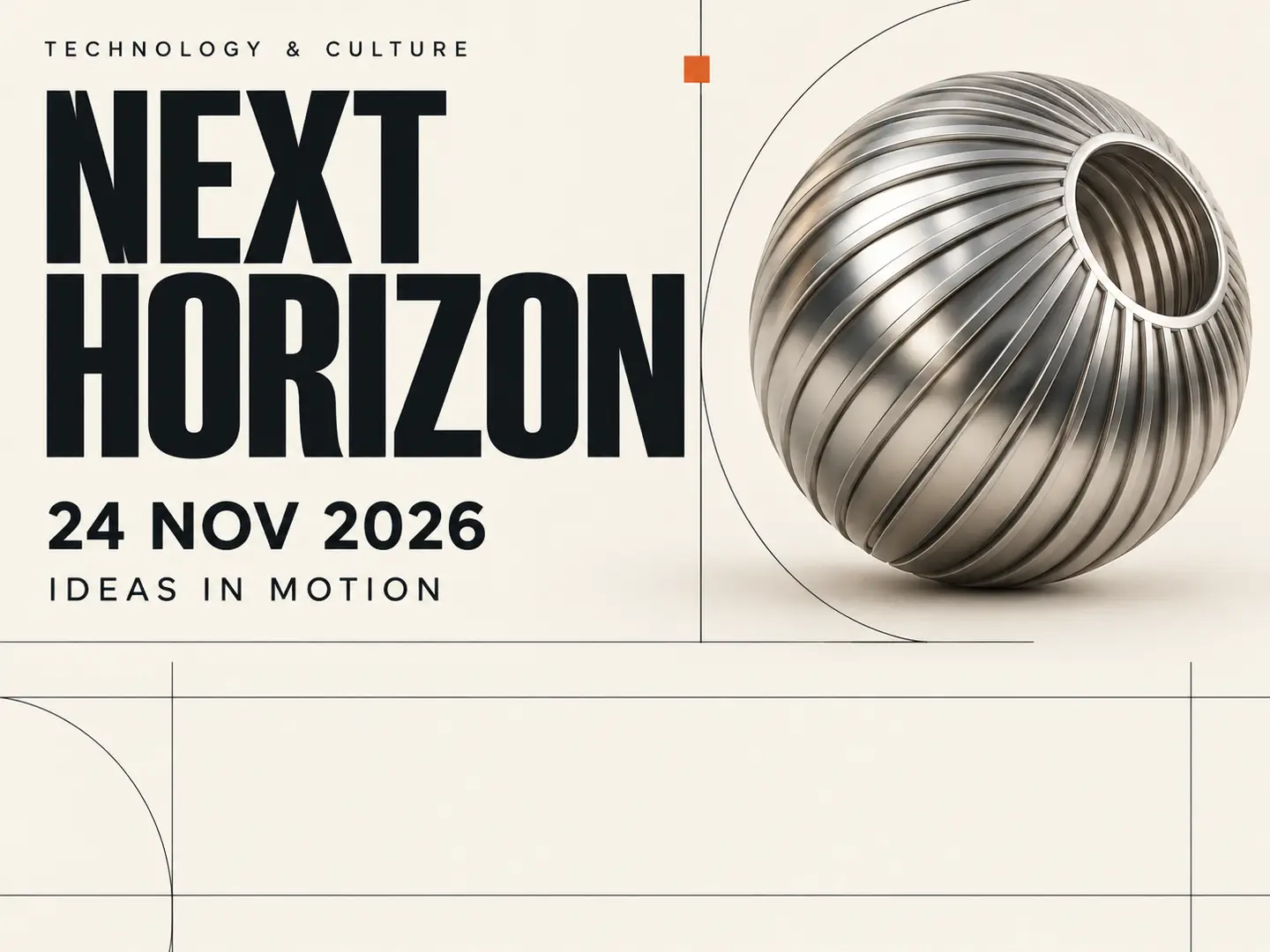
GPT Image 2.5 event poster with readable text
04

Readable Event Poster

Prompt direction

Design a modern technology event poster with a clear headline, structured information hierarchy, strong grid alignment, and restrained metallic accents.

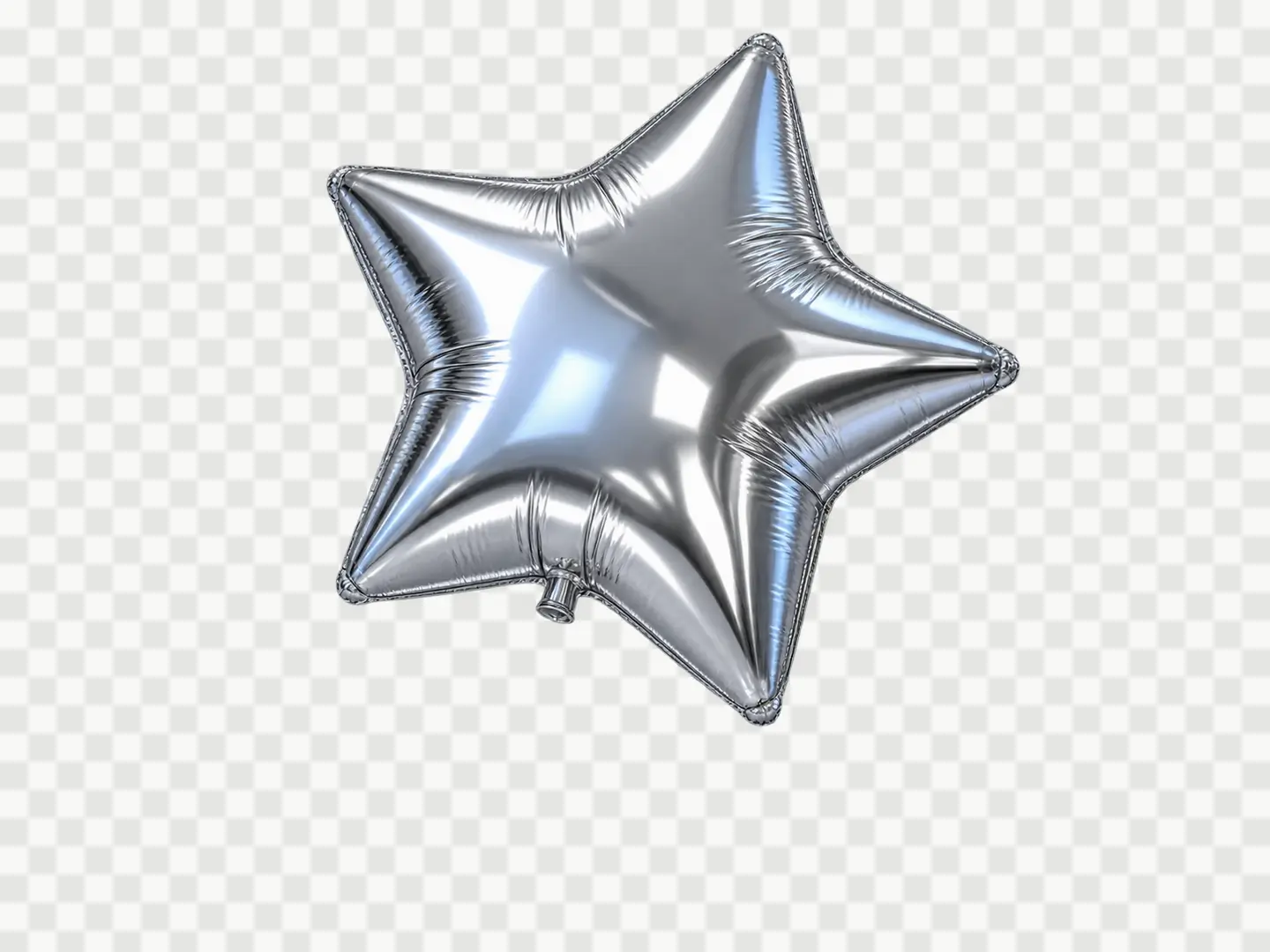
GPT Image 2.5 transparent 3D asset example
05

Transparent 3D Asset

Prompt direction

Create a detailed chrome star balloon with realistic reflections and soft studio lighting, centered and isolated on a transparent background with no additional objects.

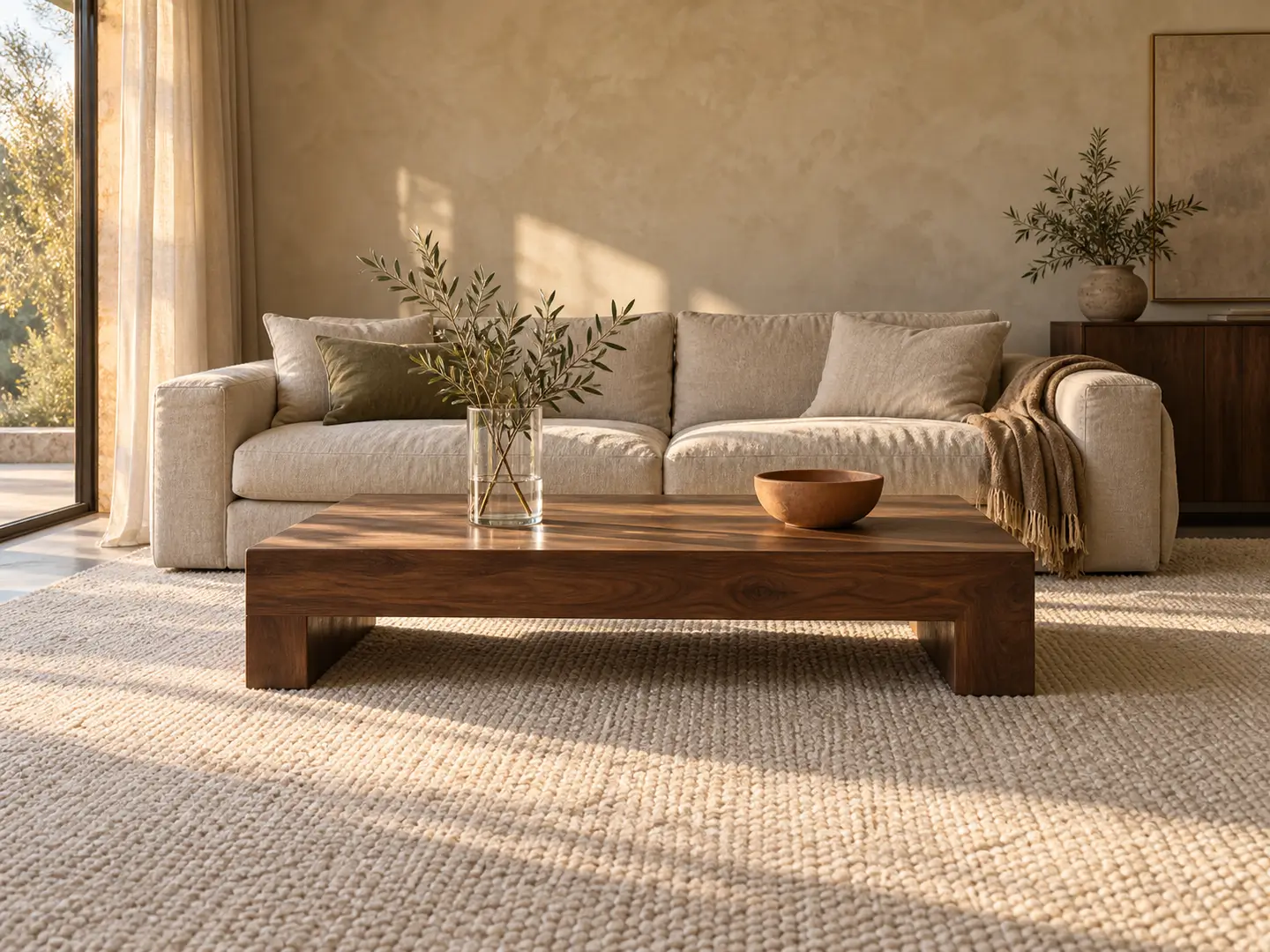
GPT Image 2.5 natural interior lighting example
06

Natural Interior Lighting

Prompt direction

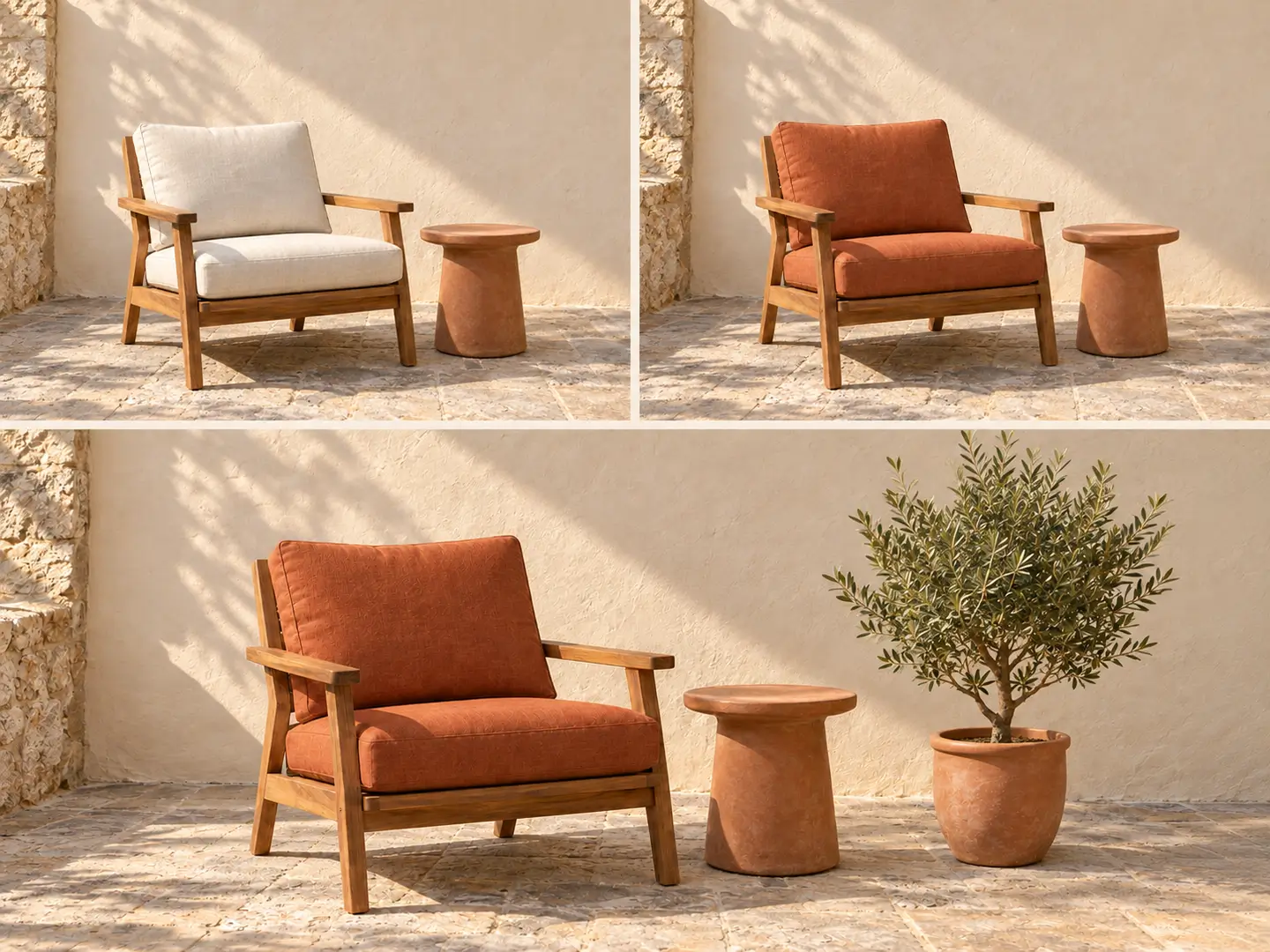
Create a warm modern living room at late afternoon with believable window light, soft material textures, realistic glass, wood, linen, and balanced shadow detail.

Choose your GPT Image 2.5 model

GPT Image 2.5 Flare vs Sunburst

Flare is the default choice for most applications and delivers higher-quality images than GPT Image 2 at 50% lower latency. Sunburst adds extra precision and tighter control for detailed generation and editing.

Fast default

GPT Image 2.5 Flare

Flare combines the GPT Image 2.5 quality and editing improvements with faster generation for everyday creative work and repeated iteration.

Best for

Creator content, social creative, product experiences, visual search, rapid image prototyping, prompt iteration, and high-volume generation.

Highlights
  • Default choice for most applications
  • 50% lower latency than GPT Image 2
  • Generation and editing in one model
  • Built for fast creative iteration
Choose it when

Choose Flare when you want GPT Image 2.5 quality and editing improvements with faster turnaround across broad image workflows.
Precision

GPT Image 2.5 Sunburst

Sunburst adds an extra level of precision for detailed generation and editing where tighter control across visual changes matters most.

Best for

Detailed product imagery, campaign creative, reference-driven edits, complex compositions, and premium workflows that require stronger control across revisions.

Highlights
  • Extra precision for detailed creative work
  • Tighter control across image edits
  • Strong fit for polished product visuals
  • Built for premium visual workflows
Choose it when

Choose Sunburst when editing precision and visual control matter more than the fastest generation time.

Core capabilities

What GPT Image 2.5 Improves for Image Creation

GPT Image 2.5 combines stronger reference fidelity, precise editing, richer visual detail, structured layout handling, flexible output controls, and more consistent multi-turn refinement.

Precise image editing

Edit Only What You Want to Change

GPT Image 2.5 makes focused edits while keeping surrounding details stable. Change a product, background, piece of copy, color, clothing item, or object without rebuilding the whole composition.

  • Replace or restyle a background while preserving the main subject
  • Change product colors, materials, objects, or copy in context
  • Keep composition and established visual treatment around a targeted edit
GPT Image 2.5 precise targeted editing example
Reference image fidelity

Keep People, Products, and Distinctive Details Recognizable

GPT Image 2.5 preserves important details from reference images across new settings, styles, and compositions, making reference-led generation and editing more dependable.

  • Create new scenes around a recognizable portrait or character
  • Build product variations while retaining defining product details
  • Change styling or environment while staying anchored to the source image
GPT Image 2.5 reference image fidelity example
Lighting and material detail

Create More Natural Lighting and Richer Textures

GPT Image 2.5 produces more natural lighting and richer textures across portraits, products, interiors, lifestyle scenes, and other detailed visual work.

  • Render glass, fabric, metal, skin, wood, and other materials with richer detail
  • Control mood through light direction, contrast, depth, and atmosphere
  • Create polished photography and illustration with stronger visual grounding
GPT Image 2.5 natural lighting and rich texture example
Text and complex layouts

Build Structured Graphics, Posters, and Infographics

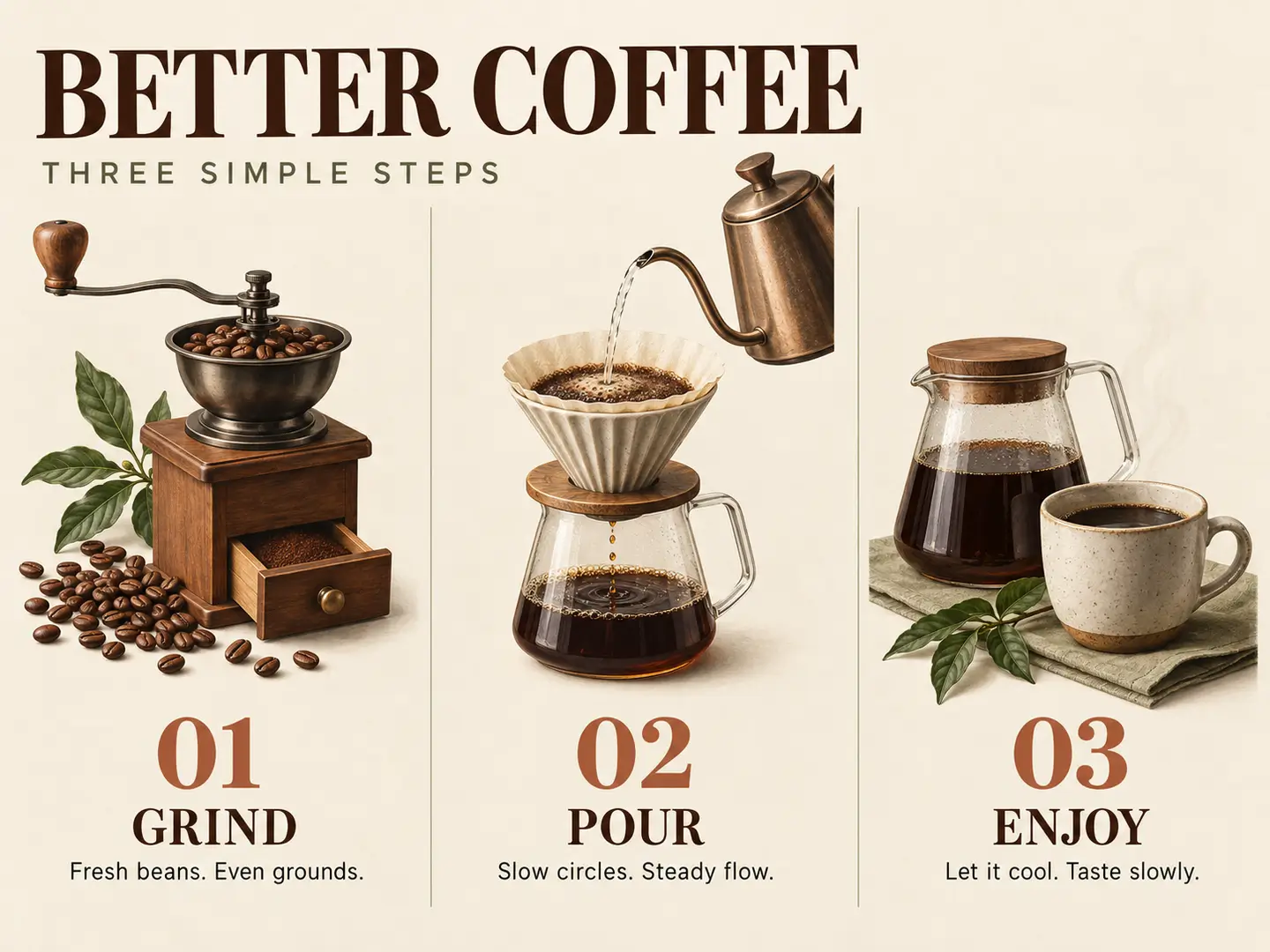
GPT Image 2.5 handles complex visual instructions and structured layouts with stronger coherence, including graphics that combine text, icons, imagery, and multiple information blocks.

  • Create posters with clearer hierarchy and readable visual structure
  • Build infographics with more accurate content and organized sections
  • Combine copy, icons, imagery, and layout instructions in one prompt
GPT Image 2.5 structured poster and infographic example
4K and transparent output

Generate Up to 4K with Flexible Quality and Background Controls

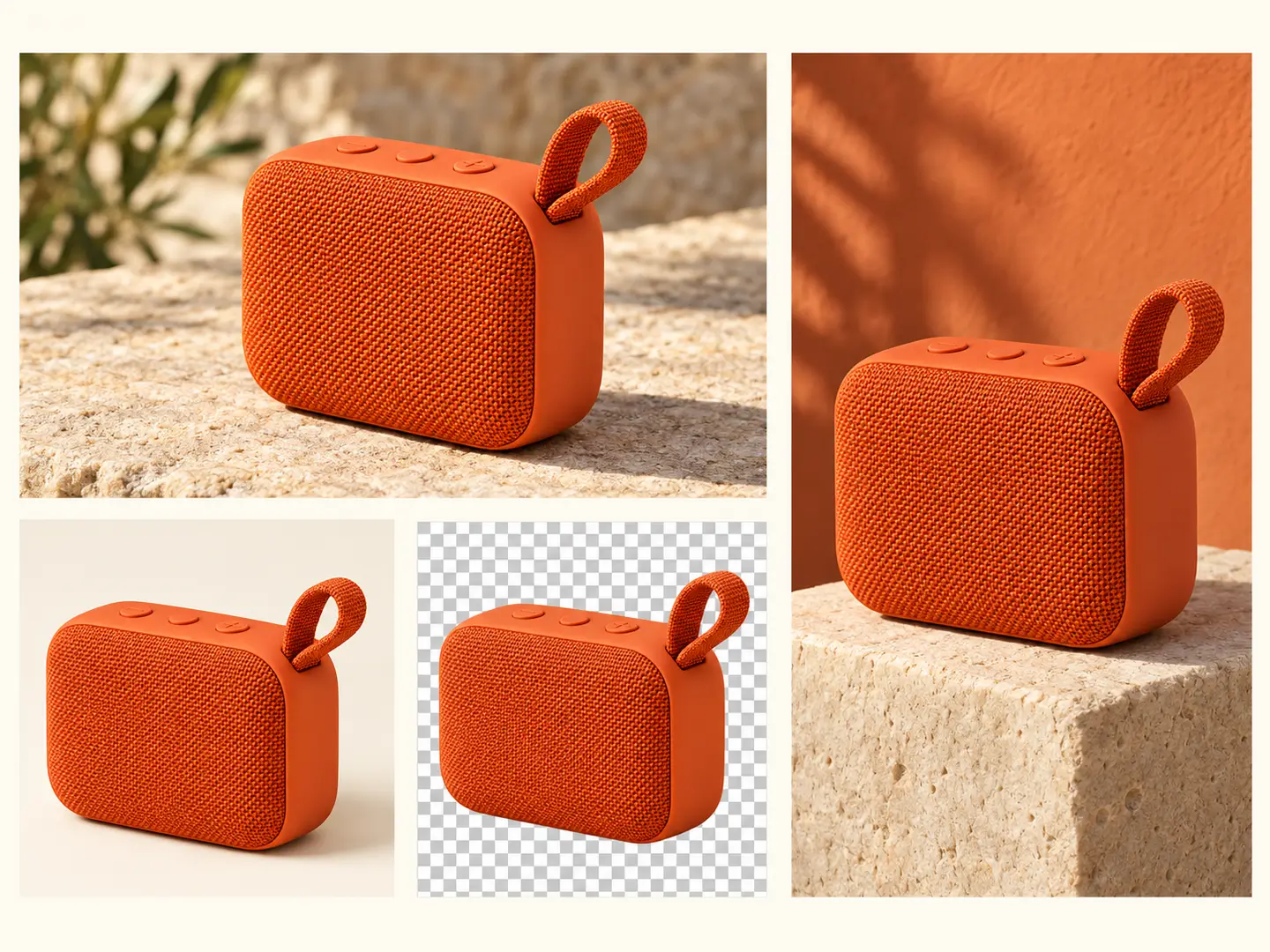
GPT Image 2.5 supports flexible image dimensions, output up to 4K, transparent backgrounds, and quality controls for different creative and production needs.

  • Generate square, portrait, landscape, and custom image dimensions
  • Create transparent PNG or WebP assets for products, objects, icons, and design elements
  • Choose low, medium, high, xhigh, max, or auto quality based on the result you need
GPT Image 2.5 4K and transparent background output example
Multi-turn editing

Refine an Image Across Multiple Edits

GPT Image 2.5 follows editing instructions more reliably across multiple turns. Earlier accepted changes remain consistent as each new edit builds on the existing image.

  • Move from a broad concept to smaller visual adjustments over several turns
  • Keep earlier accepted changes while requesting another targeted edit
  • Continue refining an established image direction without starting over
GPT Image 2.5 multi-turn image editing example
GPT Image 2.5 prompts

GPT Image 2.5 Prompt Examples for Generation and Editing

Strong GPT Image 2.5 prompts define what should change, what should stay fixed, and which visual qualities matter. Use these examples as starting structures for your own images.

Precise edit

Change Only the Background

4:3
Example prompt

Keep the person, pose, facial features, hairstyle, camera angle, and lighting unchanged. Replace only the background with a modern hotel lobby at night with warm ambient light.

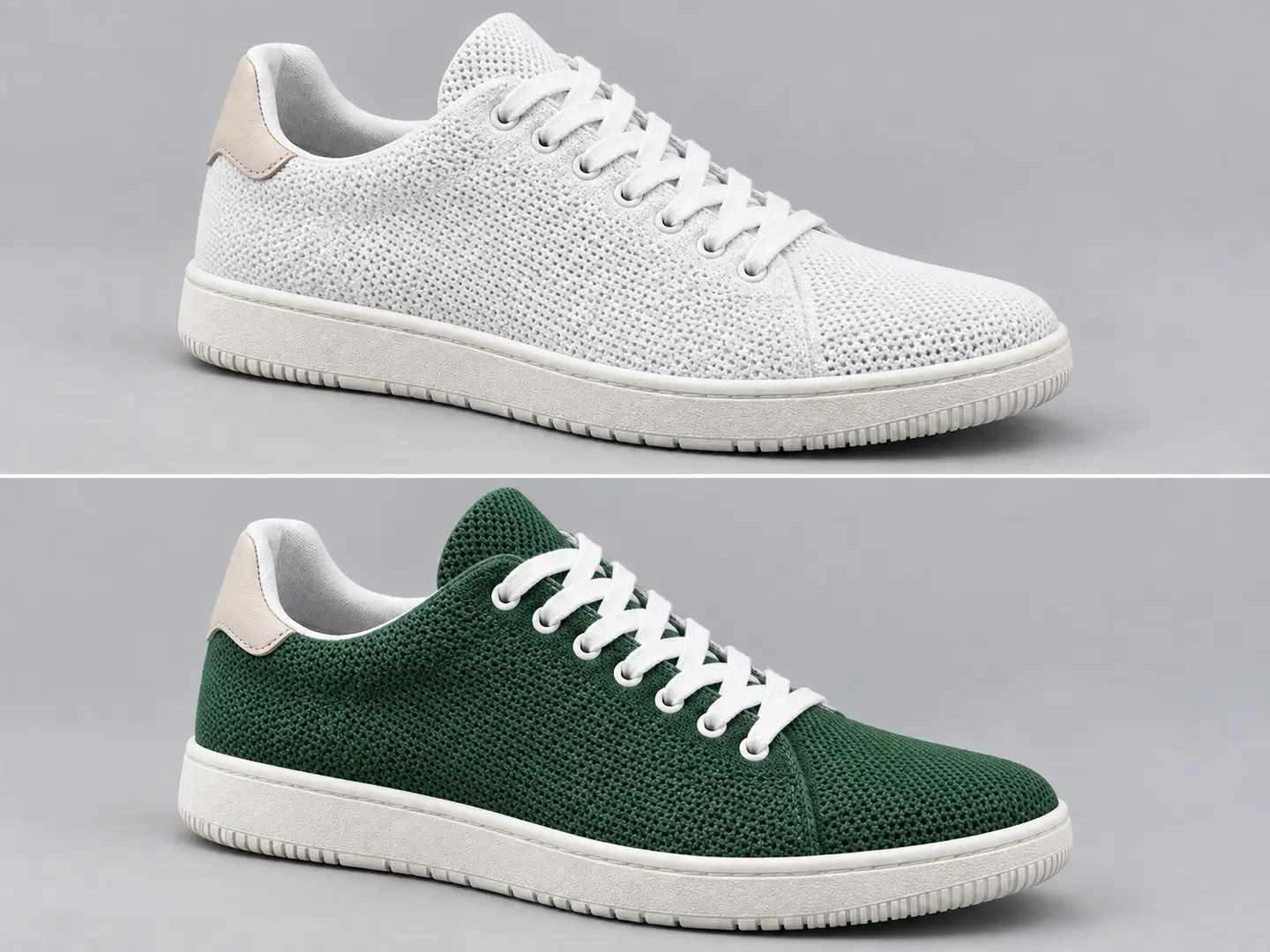
Product edit

Create a Controlled Colorway

1:1
Example prompt

Keep the shoe design, sole, logo placement, materials, shadows, and camera angle unchanged. Change only the upper fabric from white to deep forest green.

Product photography

Luxury Studio Campaign

4:5
Example prompt

Create a premium studio product photo of a matte black perfume bottle on warm travertine stone, soft directional morning light, subtle shadows, realistic glass reflections, and a minimal luxury advertising composition.

Poster design

Structured Technology Poster

3:4
Example prompt

Create a minimalist technology event poster with a strong editorial grid, a clearly readable headline, restrained metallic textures, clean information hierarchy, and a dark premium visual identity.

Transparent asset

Isolated Chrome Object

1:1
Example prompt

Create a detailed 3D chrome star balloon with realistic reflections and soft studio lighting, centered, isolated, transparent background, no text, and no additional objects.

Portrait

Cinematic Editorial Portrait

4:5
Example prompt

Create a cinematic editorial portrait at blue hour with natural skin texture, realistic hair strands, subtle rim light, shallow depth of field, an 85mm lens look, and sophisticated magazine photography direction.

How to use

How to Use GPT Image 2.5

Create a new image from a prompt or use a reference image for targeted editing, then choose the GPT Image 2.5 settings that fit your final result.

1

Choose Flare or Sunburst

Use GPT Image 2.5 Flare for faster everyday generation and iteration. Choose Sunburst when detailed creation and precise editing need tighter control.

2

Write a Prompt or Add a Reference Image

Describe a new image from scratch, or add a reference image and state exactly what should change and what should stay unchanged.

3

Set Size, Quality, and Background

Choose the aspect ratio, resolution up to 4K, quality level, and transparent or opaque background settings that fit the final asset.

4

Generate and Continue Editing

Generate the image, review the result, then continue with another targeted edit while keeping the visual direction you already approved.

Use cases

What You Can Create with GPT Image 2.5

Use GPT Image 2.5 for product visuals, portraits, campaign creative, graphic design, social content, transparent assets, and reference-based image editing.

Product Images and E-commerce Creative

Create product concepts, campaign scenes, listing variations, and controlled edits while retaining product shape, materials, logos, and recognizable details.

Portraits and Character Variations

Use a reference portrait or character as the visual anchor, then explore new clothing, environments, compositions, and visual styles while preserving identity details.

Ads and Campaign Creative

Build social ads, campaign concepts, launch visuals, promotional images, and creative variations that combine product direction, layout, lighting, and text.

Posters, Infographics, and Graphic Design

Create posters, infographics, covers, editorial graphics, presentation visuals, and structured designs where typography, layout, and imagery work together.

Reference-Based Image Editing

Start from an existing image and change backgrounds, colors, objects, clothing, text, or selected details while preserving the rest of the composition.

Transparent Design Assets

Generate isolated products, objects, icons, characters, stickers, and design elements with transparent backgrounds for websites, presentations, product listings, and creative layouts.

What changed

GPT Image 2.5 vs GPT Image 2

GPT Image 2.5 builds on GPT Image 2 with Flare and Sunburst choices, stronger reference fidelity, more precise editing, better consistency across multiple edits, richer visual detail, transparent backgrounds, and expanded quality controls.

Latest family

GPT Image 2.5

The latest GPT Image family offers a faster default model and a precision-focused option while improving generation, editing, and production output controls.

Positioning

Image generation and editing workflows that benefit from stronger reference fidelity, precise changes, multi-turn refinement, transparent output, 4K resolution, and richer visual detail.

Key differences
  • Flare and Sunburst model choices
  • Stronger reference image fidelity
  • More precise targeted editing
  • Expanded output and quality controls
Choose it when

Choose GPT Image 2.5 when you want the latest generation and editing capabilities across both fast and precision-focused workflows.

Previous generation

GPT Image 2

GPT Image 2 remains available for established workflows built around its existing generation, editing, and integration behavior.

Positioning

Existing applications that already use GPT Image 2 and do not require the new Flare and Sunburst model choices or GPT Image 2.5 workflow improvements.

Key differences
  • Established GPT Image workflow
  • Existing integrations remain compatible
  • Useful baseline for comparing 2.5 results
  • No migration required for existing GPT Image 2 flows
Choose it when

Use GPT Image 2 for existing integrations that remain on the previous generation.

FAQ

GPT Image 2.5 Frequently Asked Questions

Answers about GPT Image 2.5, Flare, Sunburst, image editing, reference images, 4K output, transparent backgrounds, quality settings, and multi-turn refinement.

GPT Image 2.5 is OpenAI's latest image generation and editing model family. It includes GPT Image 2.5 Flare for faster broad image workflows and GPT Image 2.5 Sunburst for precision-focused generation and editing.

Yes. OpenAI released GPT Image 2.5 Flare and Sunburst on September 8, 2026 for image generation and editing through the Images API.

Flare is the default choice for most applications and focuses on faster high-quality generation. Sunburst adds extra precision and tighter control for detailed creative and editing workflows.

OpenAI states that Flare delivers higher-quality images than GPT Image 2 at 50% lower latency. Flare is the primary GPT Image 2.5 choice for rapid iteration and high-volume generation.

Yes. GPT Image 2.5 supports image editing as well as text-to-image generation. You can change a background, product, object, piece of copy, color, clothing item, or other selected detail while preserving the surrounding composition.

Yes. GPT Image 2.5 improves reference image fidelity so people, products, characters, and distinctive source details remain more recognizable across new settings, styles, and compositions.

Yes. GPT Image 2.5 supports transparent backgrounds for supported output formats, including transparent PNG and WebP assets for products, objects, icons, characters, stickers, and design elements.

Yes. GPT Image 2.5 supports flexible image dimensions with output up to 4K. You can create square, portrait, landscape, and custom-sized images within the supported dimension limits.

GPT Image 2.5 supports low, medium, high, xhigh, max, and auto quality settings. These controls let you choose between faster drafts and higher-detail final output.

Yes. GPT Image 2.5 follows editing instructions more reliably across multiple turns. Earlier accepted changes remain consistent as you continue refining the same image.

Yes. GPT Image 2.5 improves complex visual instruction following, layout handling, and infographic accuracy. It supports posters, structured graphics, information-rich visuals, packaging, presentation assets, and other design-heavy prompts.

GPT Image 2.5 adds Flare and Sunburst, stronger reference fidelity, more precise editing, better multi-turn consistency, richer lighting and textures, transparent backgrounds, and expanded quality controls. GPT Image 2 remains the previous generation for existing integrations.
Start creating

Generate and Edit Images with GPT Image 2.5

Create from a prompt or reference image, then refine the result with precise edits, flexible quality controls, and GPT Image 2.5.

Try GPT Image 2.5