Flux 3 Image

Black Forest Labs' newest image model. Create native 4K images with sharp text, place every element exactly where you want it, and edit one detail while the rest of the scene stays in place.

  • Native 4K
  • Sharp text
  • 10 reference images
  • Layout with boxes

Click to upload an image

PNG, JPG, JPEG, or WEBP (max 10MB)

0 / 5000
6 credits

Experience the power of AI image generation

Black Forest Labs' newest image model

What Is Flux 3 Image?

Flux 3 Image is the image generation and editing model in Black Forest Labs' FLUX 3 family, released on October 1, 2026 as the successor to FLUX.2. It turns a written idea, up to ten reference images, or a layout of boxes into a finished image at native 4K, and it edits your existing pictures with the same model.

What sets Flux 3 Image apart is control. You can tell it where every element goes on a 0 to 1000 grid, and when you edit, you name what changes and what stays, so the rest of the scene keeps its layout and light. It researches unfamiliar subjects with web and image search before it draws, and it renders small text and fine textures at native 4K without an upscaling pass.

  • Native 4K
  • Layout with boxes
  • Targeted edits
  • Up to 10 references
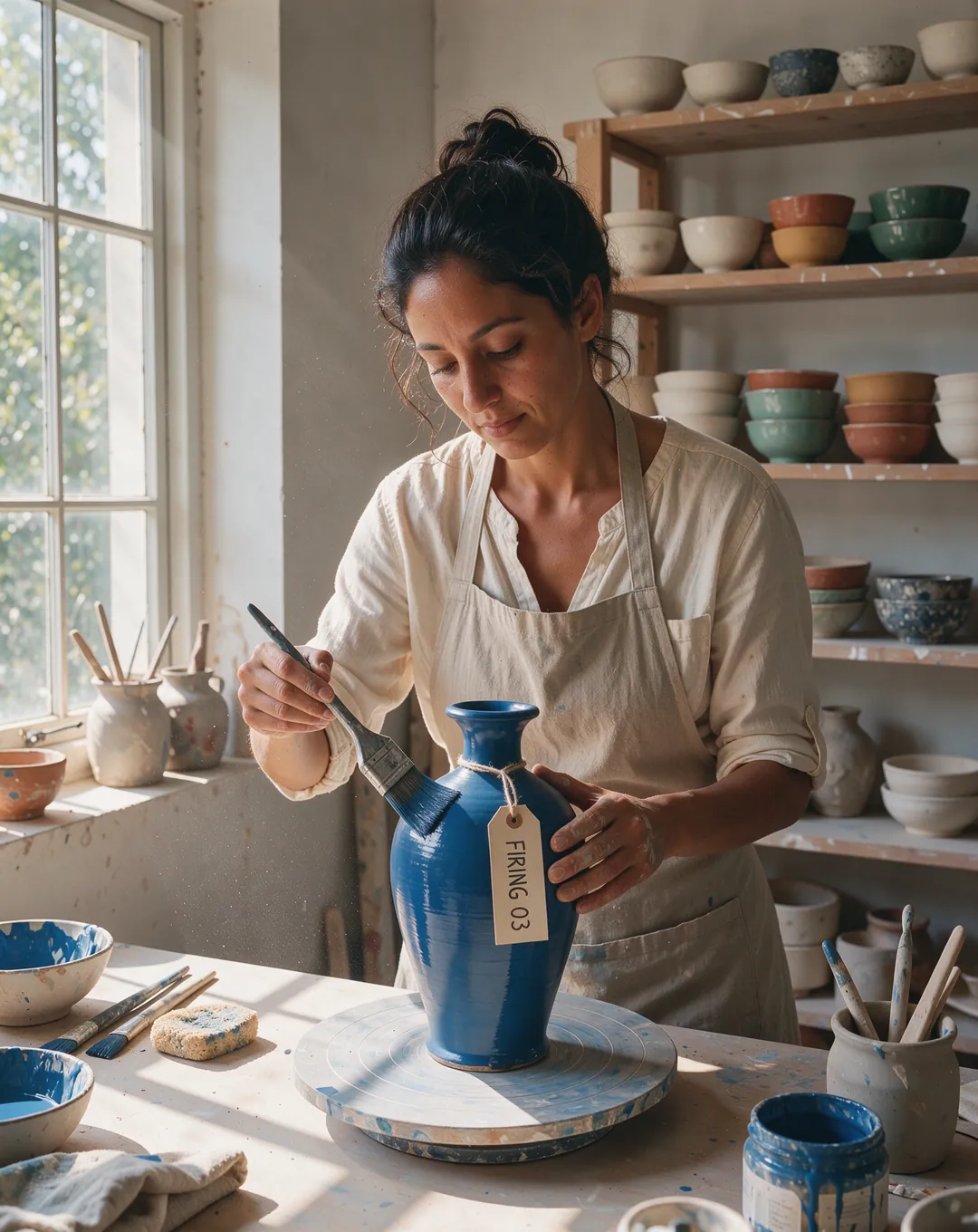
Ceramicist glazing a tall cobalt-blue vase in a sunlit pottery studio, a paper tag on the vase reads FIRING 03Flux 3 Image
PromptA ceramicist in a linen apron glazing a tall cobalt-blue vase in a sunlit pottery studio, shelves of finished bowls behind her, a handwritten paper tag tied to the vase reads "FIRING 03", dust floating in the window light, natural skin texture, medium-format photo.
The FLUX 3 Family

Flux 3 Image and the FLUX 3 Family

FLUX 3 is one model family with separate models for video, images, and robots. This page covers the one that makes and edits pictures.

  1. FLUX 3 announced

    Black Forest Labs unveils one model family for images, video, audio, and robot actions.

  2. FLUX 3 Video

    Video

    Text and image to video with synchronized sound, through the Black Forest Labs API.

  3. FLUX 3 Action

    Open weights

    A 7B open-weights model that turns visual understanding into robot control.

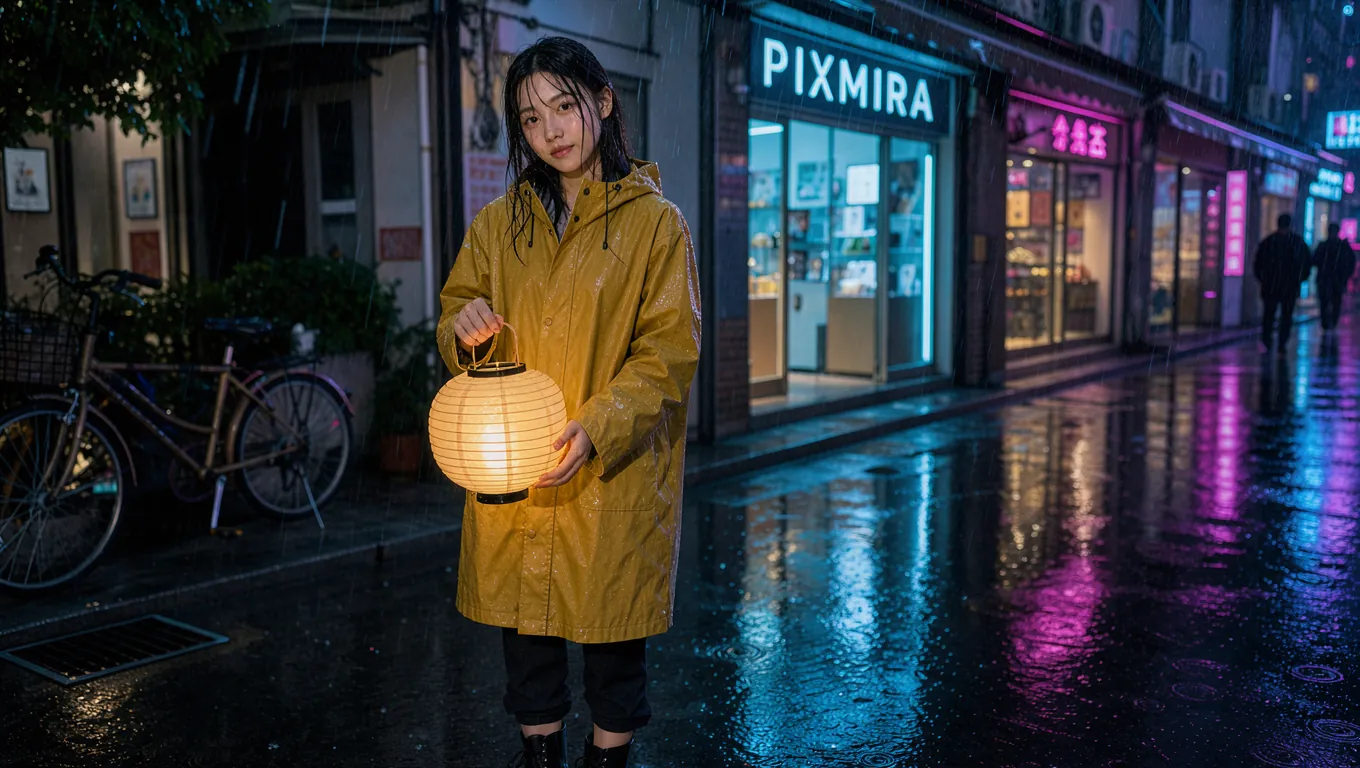
  4. Woman in a yellow raincoat holding a glowing paper lantern on a rainy neon street

    Flux 3 Image

    Images

    Text to image, 10 references, box layouts, and targeted edits up to native 4K.

  5. Flux 3 Image on PixMira

    Available here

    Generate at 1K, 2K, or 4K in your browser, no API key needed.

    Open the generator

Dates from Black Forest Labs' announcements. Flux 3 Image weights are licensed to companies for self-hosting, not released openly. FLUX 3 Video and FLUX 3 Action are separate models and do not run in this image generator.

What's New

What Flux 3 Image Can Do

Four upgrades over FLUX.2 that give you control over resolution, text, references, and edits.

Native 4K

Native 4K image generation

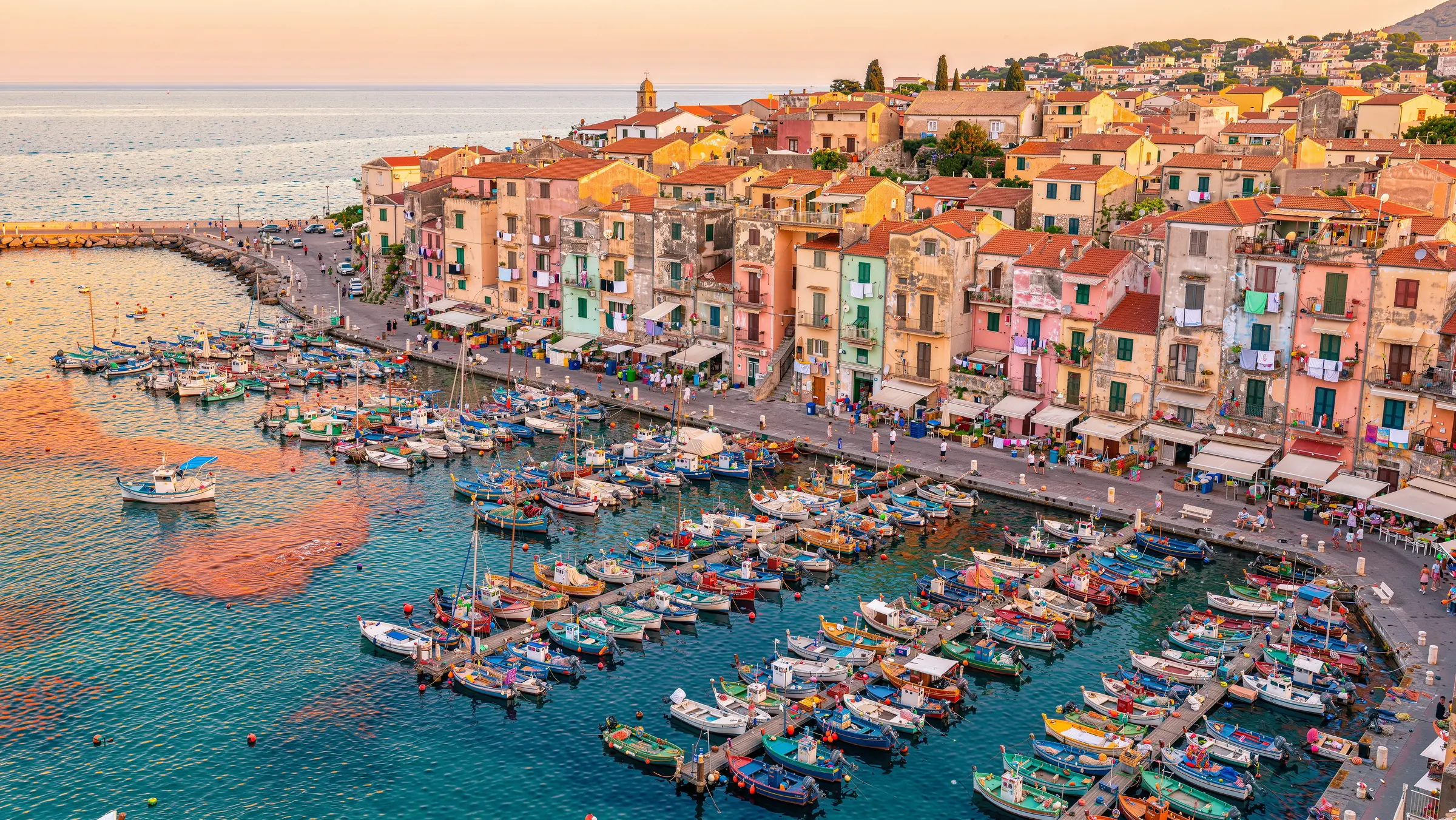
Every detail drawn, nothing upscaled. Flux 3 Image renders up to 5456 Ă— 3072 pixels (16.8 megapixels) in a single pass. Faces in a crowd, fabric weave, and small print stay sharp because the model draws them at full size instead of enlarging a smaller image.

  • 1K, 2K, and 4K output
  • 16.8 megapixels at 4K
  • No separate upscaling step
Aerial view of a Mediterranean harbor town at golden hour with hundreds of colorful boats and pastel housesFlux 3 Image
4K detail
Text Rendering

Sharp text for posters, signs, and ads

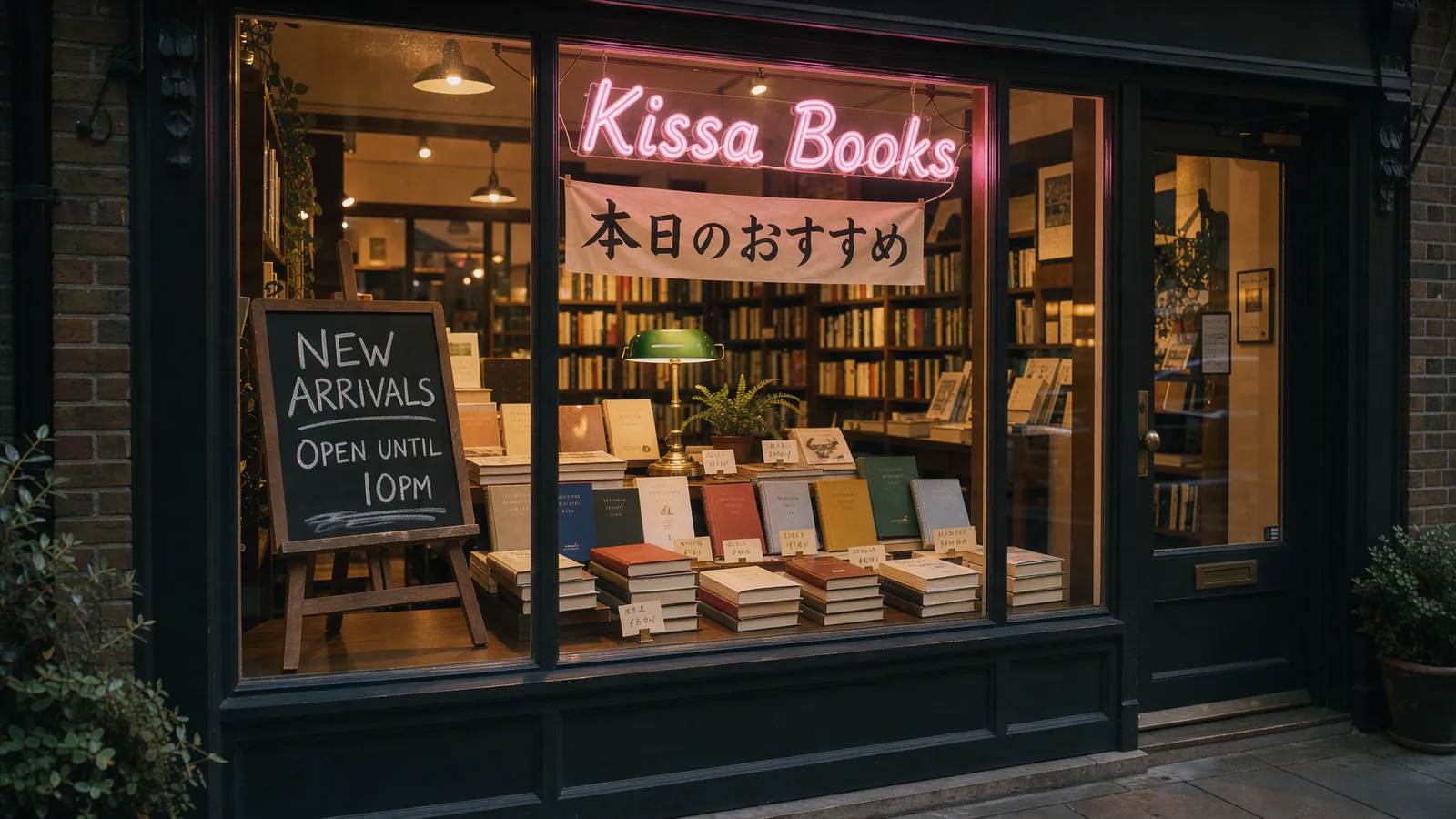
Words that read right at any size. Put the words in quotes and Flux 3 Image sets them as written, from a billboard headline to a price tag in the corner. It handles Latin, Chinese, and Japanese scripts in the same image, so menus, packaging, and bilingual posters come out ready to use.

  • Exact spelling from your prompt
  • Multiple scripts in one image
  • Small text that stays legible
Bookstore window at night with a chalkboard reading NEW ARRIVALS, a pink neon sign reading Kissa Books, and a Japanese banner
Flux 3 Image
Multi-Reference

Combine up to 10 reference images

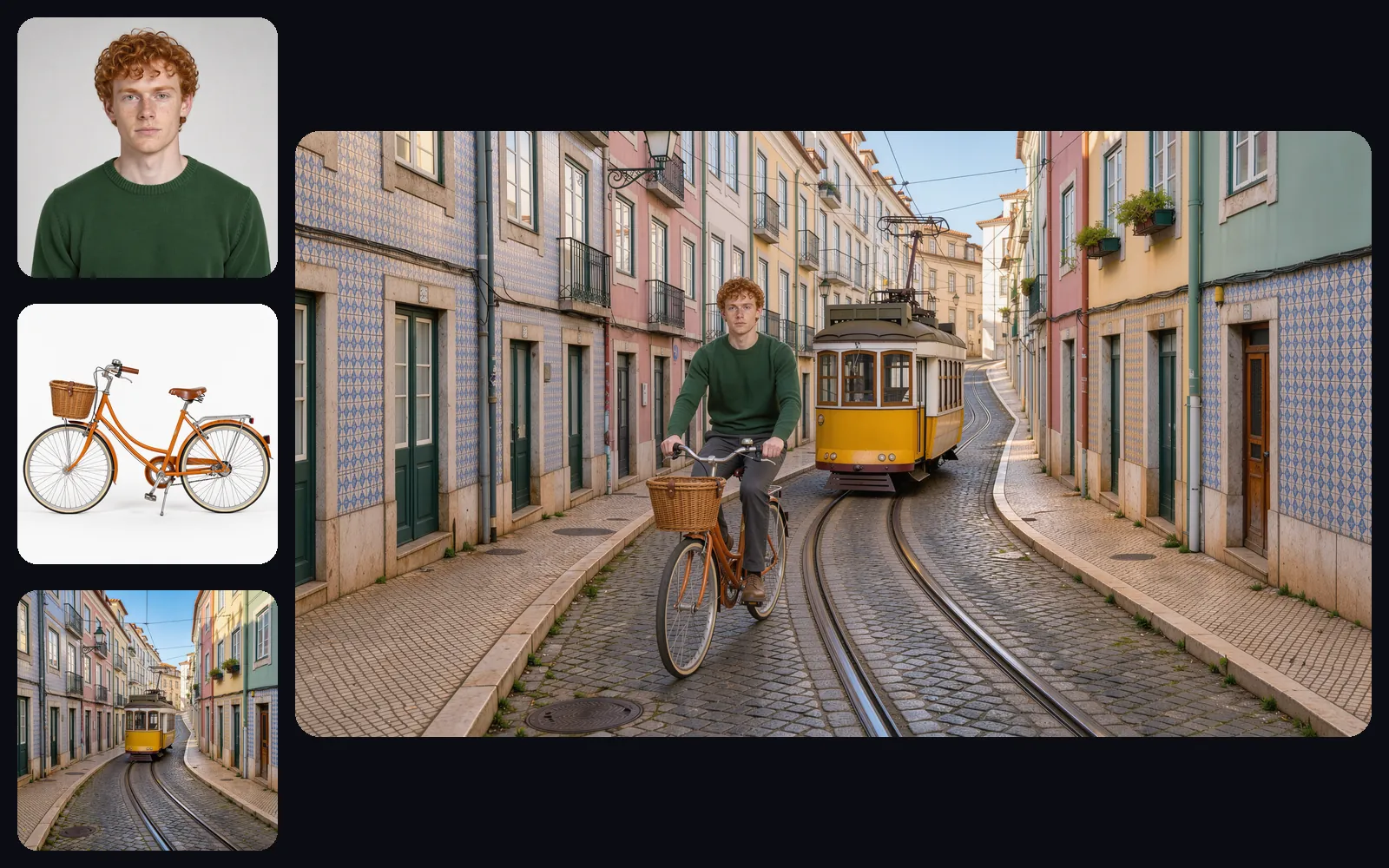
Your person, your product, your place, in one shot. Upload up to ten images and refer to each one in your prompt. Flux 3 Image keeps faces, products, and locations recognizable while it builds a new scene around them, so a portrait, a product photo, and a street become one campaign image.

  • Up to 10 references per image
  • Faces and products stay recognizable
  • Borrow style from any reference
Three reference images of a red-haired man, an orange bicycle, and a Lisbon tram street, combined into one photo of him riding the bike down the streetFlux 3 Image
Precise Editing

Edit one element, keep the rest of the scene

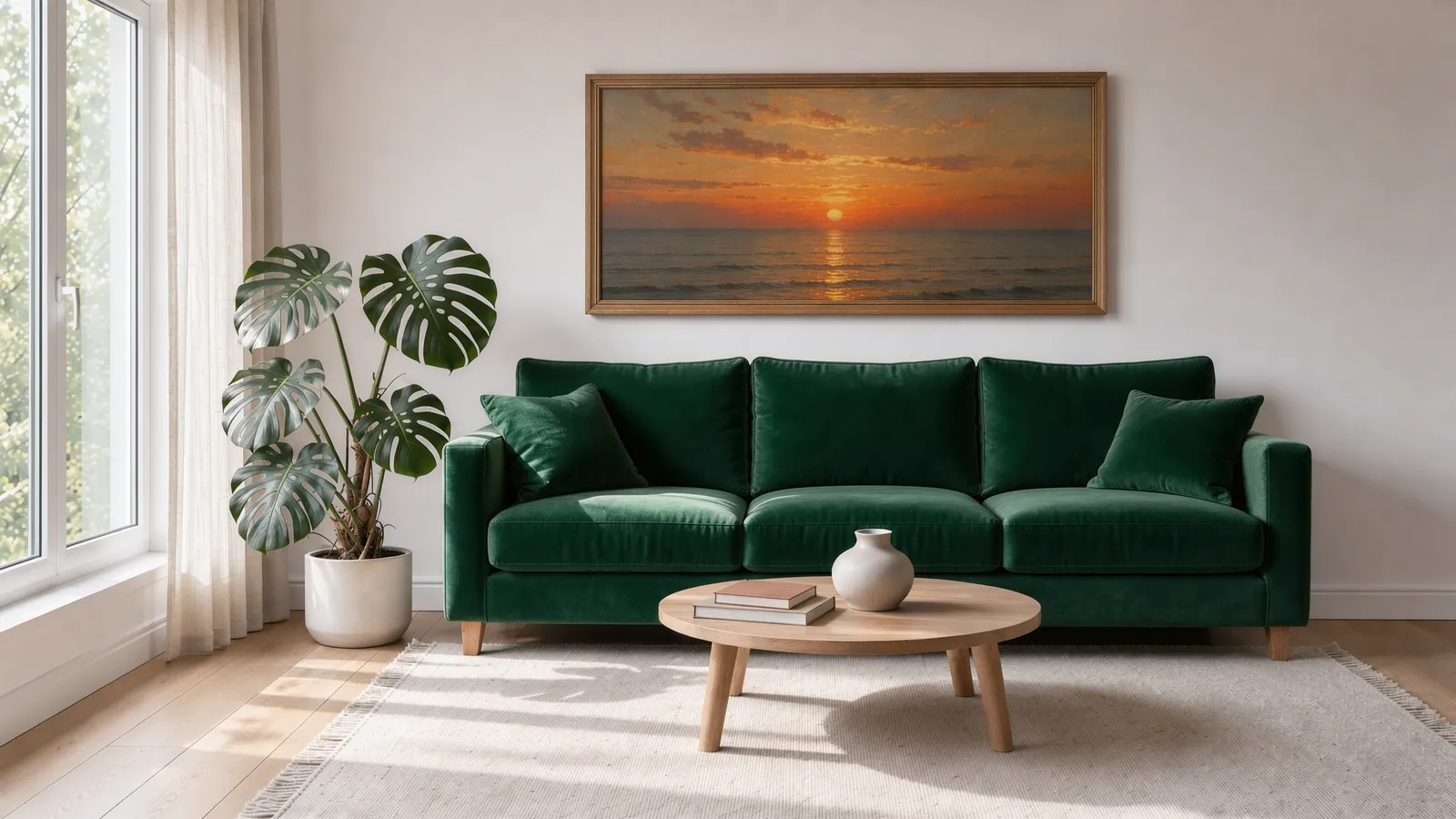
Change two things. Keep everything else. Name the elements you want to change and the ones to keep, each with its box. Flux 3 Image redraws the changed boxes and keeps the rest of the scene in place, with the same layout, light, and objects, so you can swap furniture, recolor clothes, or replace a sign without starting over.

  • Several edits in one pass
  • Layout and light stay as they were
  • Replace, recolor, move, or remove
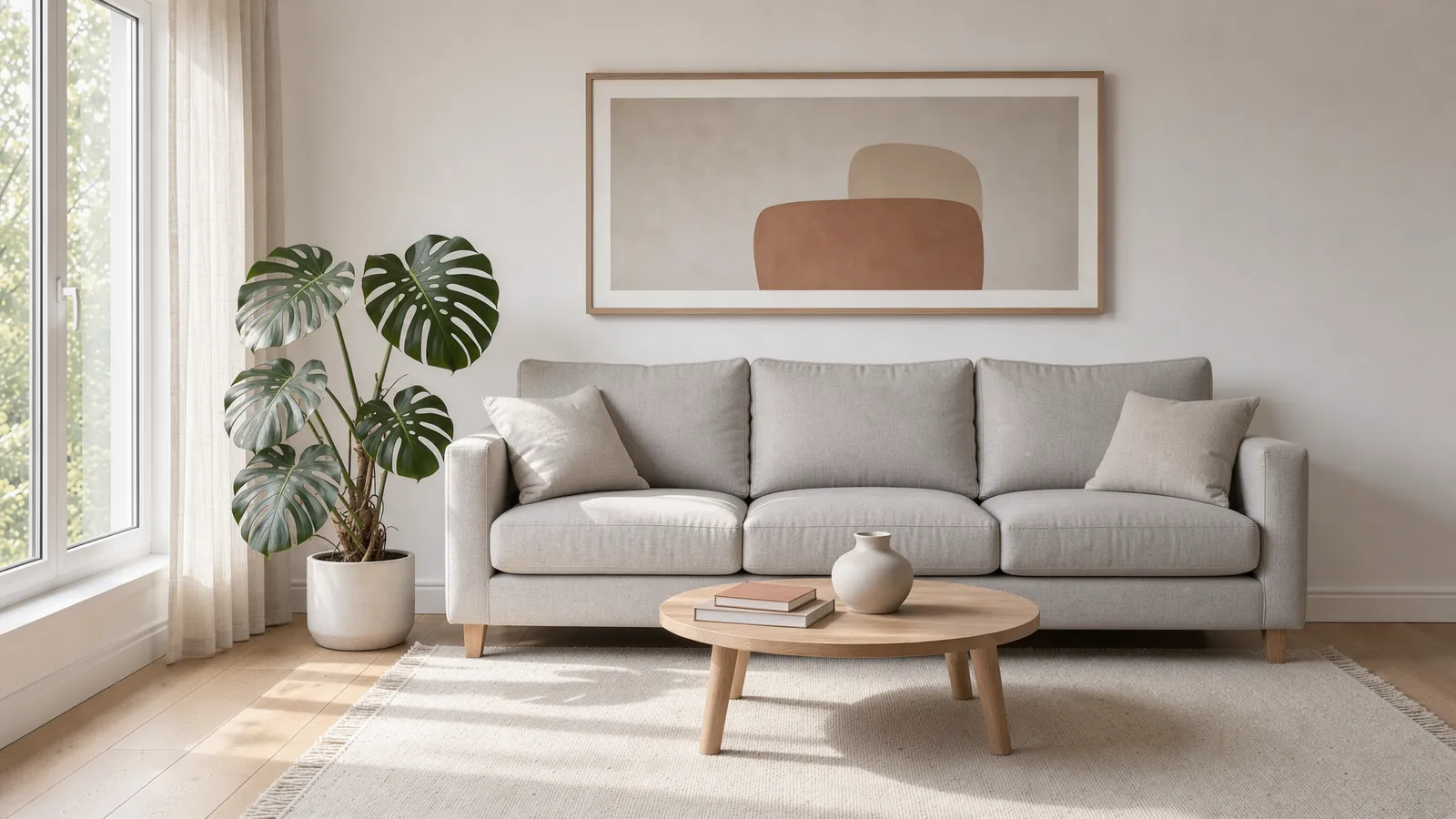
Living room where a light grey sofa becomes an emerald velvet sofa and an abstract print becomes a sunset painting: Edited
Living room where a light grey sofa becomes an emerald velvet sofa and an abstract print becomes a sunset painting: Original
OriginalEditedFlux 3 Image
Edit: Replace the light grey linen sofa with a deep emerald green velvet sofa, and replace the abstract print with a framed oil painting of a sunset over the sea. Keep the window, the monstera plant, the coffee table, the rug, and the floor exactly unchanged.
Layout Control

Place Every Element with Bounding Boxes

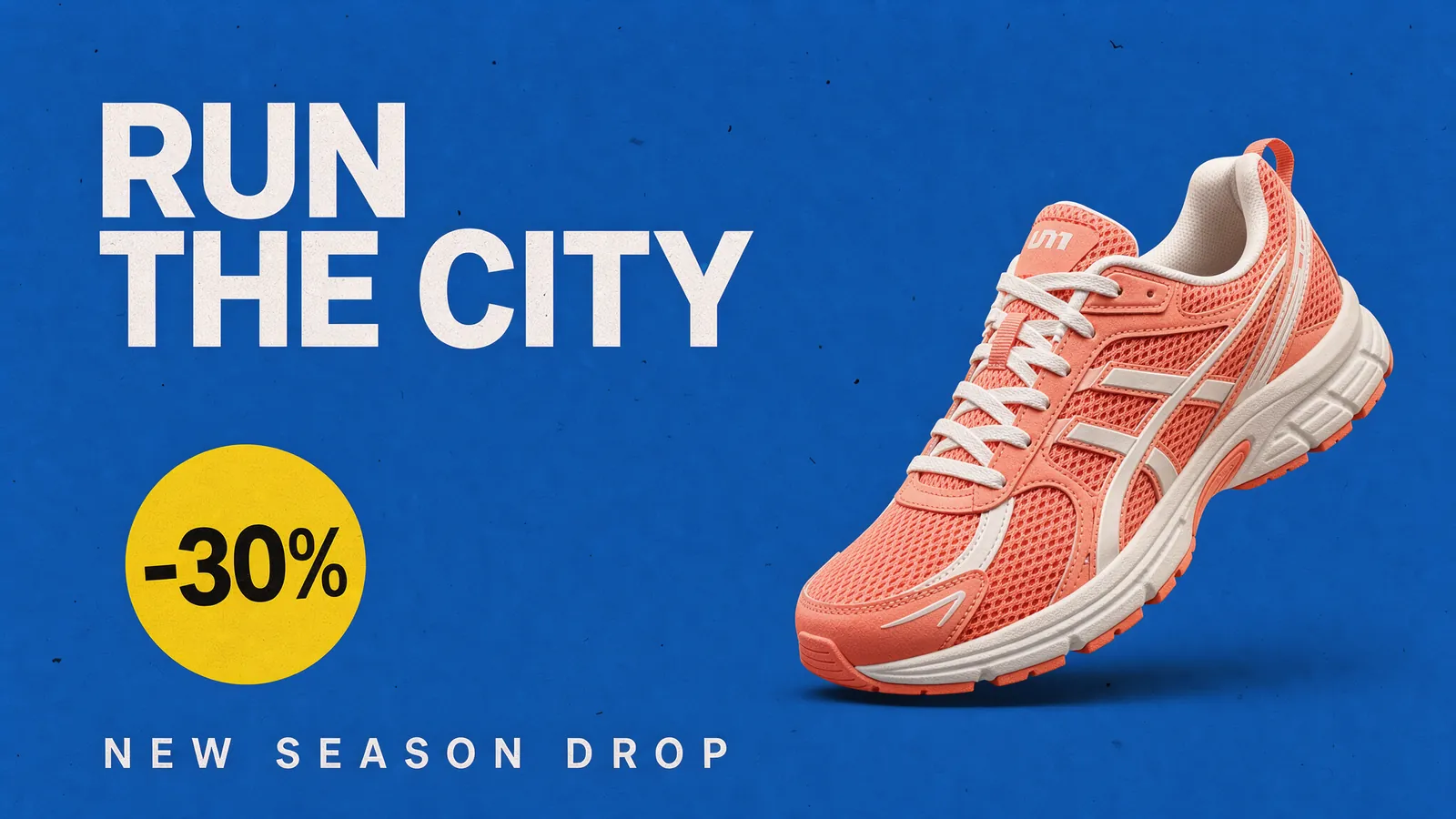
You draw the layout, the model fills it in. Name each element in your prompt and give it a box on a 0 to 1000 grid, and it composes the image around your layout at any aspect ratio. Tap a row to see its box.

  • Boxes written right in the prompt
  • The same grid for every aspect ratio
  • Built for ads, banners, and UI
Sneaker ad on a cobalt blue background with the headline RUN THE CITY, a coral running shoe, a yellow -30% sticker, and the line NEW SEASON DROPFlux 3 Image

Element table from the prompt

Compare

Flux 3 Image vs FLUX.2 [max]

Flux 3 Image succeeds FLUX.2 as Black Forest Labs' flagship image model. Same prompt below, both rendered at 2 megapixels.

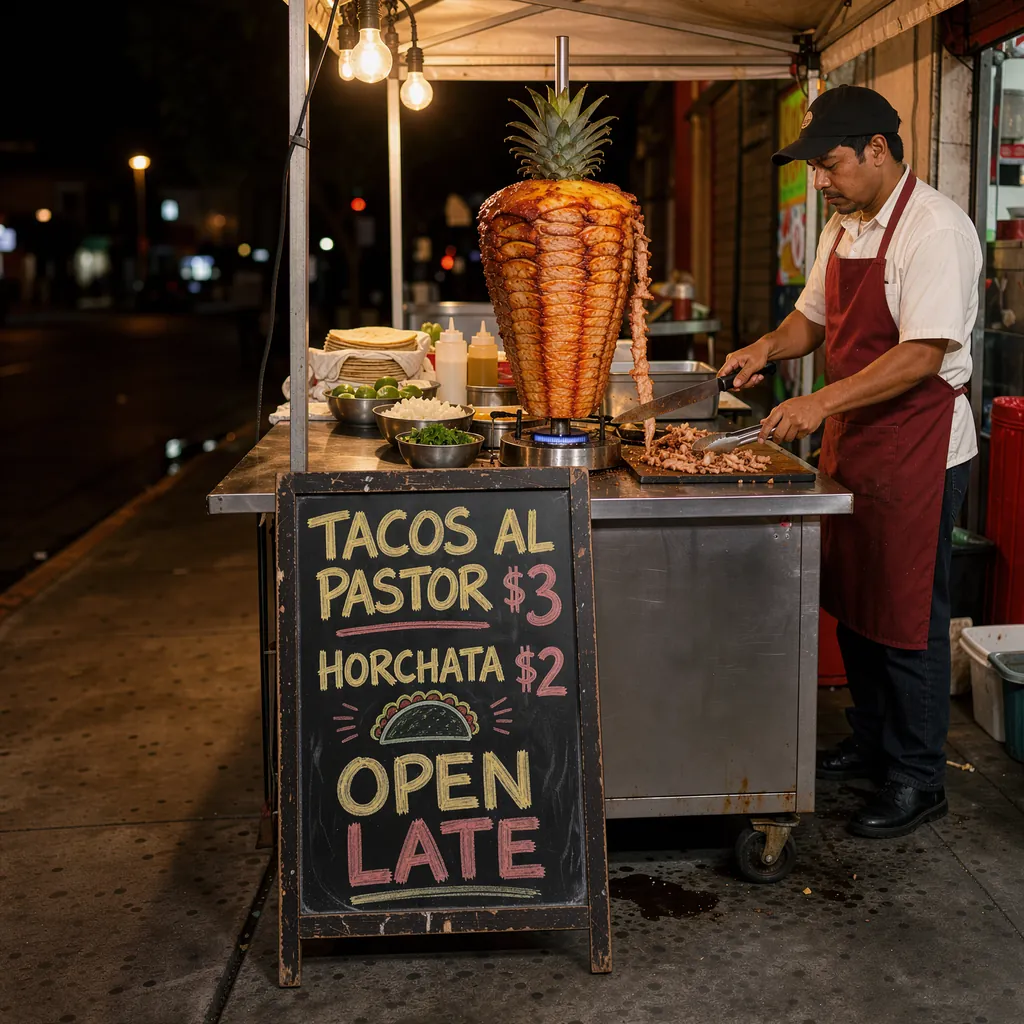
Same prompt, two models: A street food chalkboard menu reading "TACOS AL PASTOR $3", "HORCHATA $2" and "OPEN LATE", a taquero slicing pork from a glowing trompo behind it, warm night light, candid photo.

NewestFlux 3 ImageFLUX.2 [max]
Flux 3 Image result for the taco stand chalkboard prompt
FLUX.2 [max] result for the taco stand chalkboard prompt
Model familyFLUX 3, October 2026FLUX.2, 2025
Maximum output4K, 16.8 MP (5456 Ă— 3072)4 MP (2048 Ă— 2048)
Reference imagesUp to 10Up to 8
Layout controlBounding boxes on a 0 to 1000 gridText and JSON prompts
EditingBox by box, the rest kept in placeInstruction-based edits
Aspect ratios15, from 21:9 to 9:219, from 16:9 to 9:16
Best for4K detail, exact layouts, targeted editsFast high-quality images up to 4 MP

Swipe the table to compare both models

Specs from Black Forest Labs' FLUX 3 Image documentation and the Replicate model pages, October 2026.

Which one should you choose?

Choose Flux 3 Image whenever resolution, placement, or a clean edit matters: it renders four times the pixels of FLUX.2 [max], takes two more reference images, and edits box by box. To compare it with GPT Image 2.5 or Nano Banana 2.1, switch models in the same generator.

Compare all models
Resolution and Credits

Flux 3 Image Resolution and Credits

Pick the size you need. Every option is rendered natively, with no upscaling, and costs a fixed number of credits per image.

1K2KNative 4K4K
Resolution1 megapixel4 megapixels16.8 megapixels
Credits per image61270
Best forSocial posts, drafts, and quick testsWebsites, ads, and presentationsPrint, large banners, and close crops

Swipe the table to see all three sizes

Credits per image on PixMira. At 4K, Flux 3 Image outputs up to 5456 Ă— 3072 pixels (16:9).

4 Simple Steps

How to Use Flux 3 Image

From idea to finished image in four steps with the Flux 3 Image generator at the top of this page.

  1. 01

    Choose Flux 3 Image

    It is already selected in the generator at the top of this page.

  2. 02

    Add your references

    Upload up to 10 images of the people, products, places, or styles you want it to use. Skip this step to create from text alone.

  3. 03

    Describe the image

    Write the subject, setting, light, and style. Put any words you want in the image inside quotes, and add boxes when you want exact placement.

  4. 04

    Pick a size and generate

    Choose an aspect ratio and 1K, 2K, or 4K, then generate. To refine, upload the result and describe only what should change.

How to write a Flux 3 Image prompt

Name each part of the image and put exact text in quotes. Flux 3 Image follows the structure piece by piece.

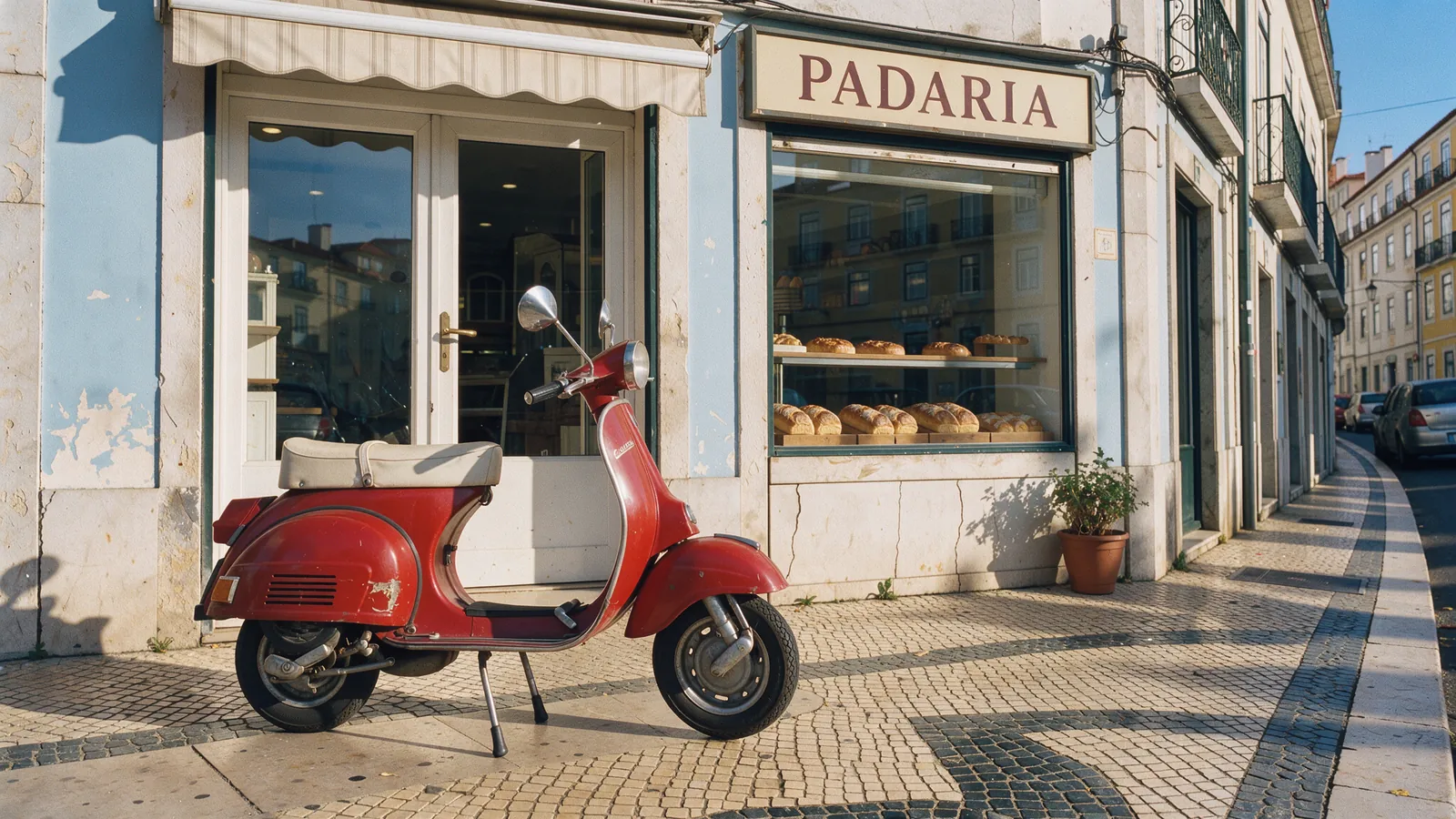
A red vintage scooter parked outside a pastel blue bakery in Lisbon, morning sun casting long shadows, a shop sign reading "PADARIA", shot on 35mm film.

  • Subject
  • Setting
  • Lighting
  • Exact text
  • Style
Browse more prompt ideas
Red vintage scooter parked outside a pastel blue bakery in Lisbon with a shop sign reading PADARIA
Quick Answers

Flux 3 Image FAQ

Quick answers about Flux 3 Image and how to use it on PixMira.

Black Forest Labs released it on October 1, 2026, through its API and playground. You can use it on PixMira right on this page.

FLUX 3 is Black Forest Labs' model family for video, images, and robot actions. Flux 3 Image is its image model: it creates and edits still images. FLUX 3 Video, which makes clips with sound, is a separate model.

A 1K image costs 6 credits, a 2K image 12 credits, and a 4K image 70 credits. Credits come with every PixMira plan.

Black Forest Labs bills its API per image: $0.041 at 768 px, $0.048 at 1K, $0.10 at 2K, and $0.607 at 4K. On PixMira you skip the API key and the code, and pay credits per image right on this page.

It outputs 1K, 2K, and 4K images, up to 5456 Ă— 3072 pixels, in 15 aspect ratios from 21:9 to 9:21, including 1:1, 4:5, 3:2, 16:9, and 9:16.

Yes. Upload a photo, describe the change, and name what should stay. The model redraws what you change and keeps the rest of the scene in place.

Up to 10. Refer to each one in your prompt to combine people, products, places, and styles in one image.

Write a caption that tags each element, such as <shoe_1>, then add a JSON list that gives each tag a box as [top, left, bottom, right] on a 0 to 1000 grid. Paste both into the prompt and the model places every element in its box.

No. It runs through Black Forest Labs' API and partners such as PixMira, and companies can license its weights for self-hosting. The open-weight FLUX 3 model Black Forest Labs has published is FLUX 3 Action, for robotics.

Yes. Images you create on a paid PixMira plan come with a commercial use license.

Create with Flux 3 Image

Your next poster, product shot, or room makeover is one sentence away.

Start creating